Industrial Wi-Fi: The Warehouse Manager’s Site-Wide Checklist
Eliminate dead zones and connectivity lags with our comprehensive warehouse Wi-Fi checklist, featuring a real-world cost-vs-value breakdown.
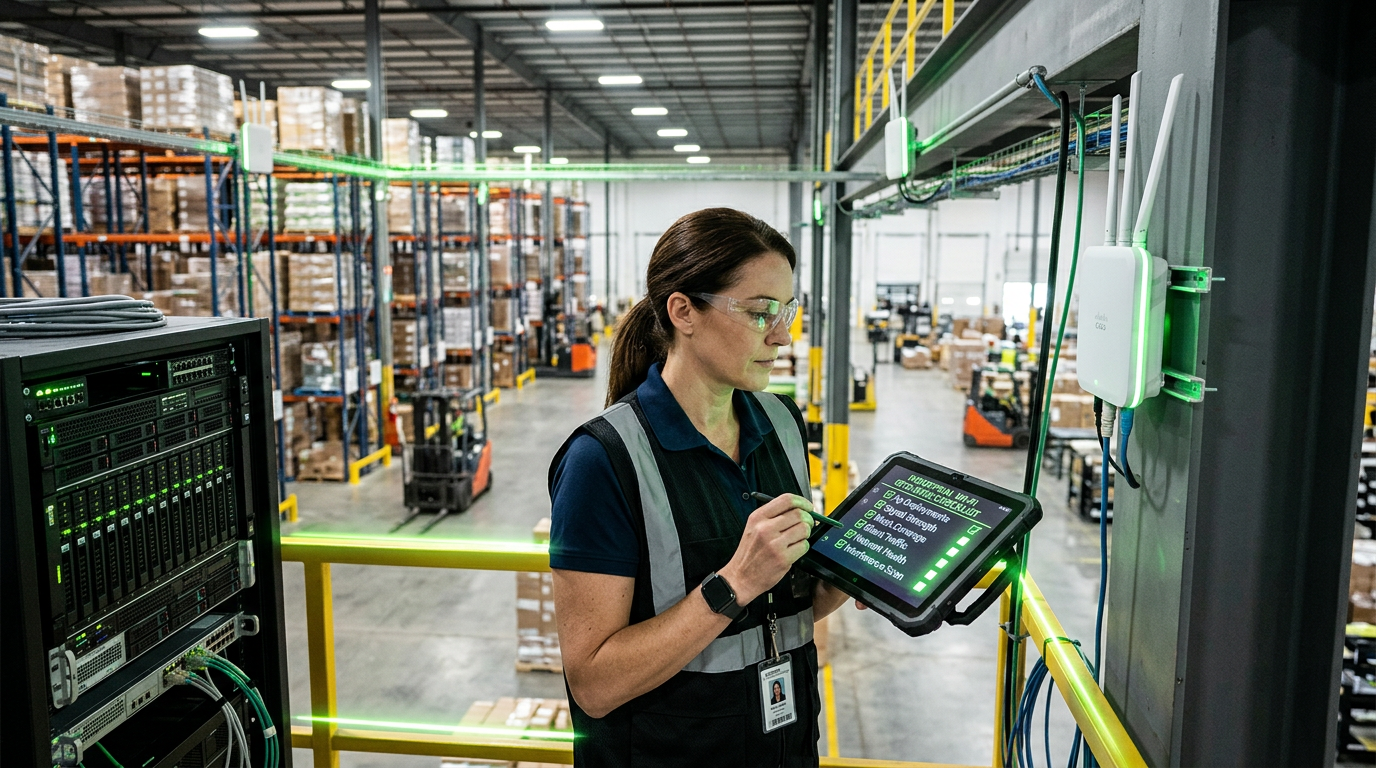
Imagine a forklift driver coming to a complete stop because their handheld scanner lost connection in an aisle. In a 200,000-square-foot facility, those 'micro-delays' don't stay small for long. They snowball into missed shipping windows, inaccurate inventory counts, and frustrated staff.
In a modern warehouse, Wi-Fi isn't a luxury—it is the central nervous system that feeds your WMS (Warehouse Management System) and powers your automation. Achieving seamless coverage across vast distances and metal-dense environments requires more than just mounting a few routers to the wall.
Here is your professional checklist for ensuring industrial-grade connectivity from the loading dock to the back office.
1. Conduct a Predictive and Active Site Survey
Before a single cable is pulled, you must understand how RF (radio frequency) signals behave in your specific environment. A warehouse is a challenging RF landscape full of signal-reflecting metal racking and signal-absorbing inventory.
- Predictive Modeling: Use software to simulate how APs (Access Points) will perform based on your floor plan.
- Active Surveying: A technician walks the site with a 'battery-powered AP on a stick' to measure actual signal attenuation through your specific racks and products.
- Account for Seasonality: Remember that signal reach changes if your racks are empty versus when they are stacked high with liquid-filled bottles or dense electronics.
2. Solve the '100-Meter' Distance Challenge
One of the biggest hurdles in large-scale facilities is the 100-meter (328 ft) limit for standard Category 6/6A copper cabling. If your warehouse is larger than a standard retail footprint, your core network closet likely cannot reach the far corners of the building.
To extend your reach without increasing latency or risk, consider these industry-standard approaches:
- Intermediate Distribution Frames (IDFs): Strategic wall-mounted enclosures placed throughout the floor to act as satellite hubs.
- Fiber Optic Backbones: Connecting your main server room to IDFs via fiber allows for multi-gigabit speeds over much longer distances.
- Powered Fiber / Long-Reach Ethernet: For isolated IP cameras or APs at the perimeter fence, specialized hybrid cables can deliver both data and Power over Ethernet (PoE) far beyond the 100-meter mark.
3. Prioritize Physical Infrastructure Maintenance
Smart buildings—and by extension, smart warehouses—rely on the 'physical layer.' If your cabling is a 'spaghetti' mess, your troubleshooting time will skyrocket.
- Color-Coding: Implement a standard where blue is for data, red is for security cameras, and white is for VoIP phones. This allows for instant visual diagnostics.
- Proper Labeling: Every cable should be labeled at both ends according to TIA/EIA standards.
- Cable Management: Use J-hooks, cable trays, and velocity-rated hangers to ensure cables aren't sagging or being pinched by structural beams.
4. Hardware Selection for Industrial Use
Consumer-grade or even standard office-grade APs will fail in a warehouse.
- External Antennas: Use 'patch' or 'yagi' antennas to direct signals down long aisles rather than wasting signal strength on the ceiling.
- Ruggedization: In non-climate-controlled zones or cold storage, ensure hardware is IP-rated for dust and temperature fluctuations.
- WPA3 Security: With the rise of AI-driven logistics and IoT sensors, your wireless security protocol must be current to prevent unauthorized access to your operational data.
Cost vs. Value: The Warehouse Connectivity Breakdown
Investing in a robust network is often a 'pay now or pay much more later' scenario. Here is a ballpark look at the investment levels for a mid-sized commercial facility (approx. 50,000–100,000 sq. ft.).
The "Budget" Approach (Reactive)
- Estimated Cost: $5,000 – $10,000
- The Setup: Handful of unmanaged APs, basic Cat5e cabling, no formal site survey.
- Risk: High. Expect frequent 'dead zones,' dropped connections during peak traffic, and significant downtime during troubleshooting because nothing is labeled or mapped.
The "Professional" Approach (Proactive)
- Estimated Cost: $25,000 – $60,000+
- The Setup: Managed Wi-Fi 6/6E ecosystem, fiber backbone, dedicated IDFs, professional heatmap survey, and structured cabling with certified testing reports.
- Value: High. This foundation supports AI-driven robotics, real-time inventory tracking, and seamless VoIP roaming. The ROI is found in the elimination of 'tech-related' downtime and the ability to scale without ripping out old wires.
Building for the Future
As warehouses integrate more AI automation and real-time analytics, the demand on your structured cabling will only increase. By following this checklist, you aren't just fixing today’s Wi-Fi drops—you are building a scalable platform that can handle the sensors, cameras, and robotics of tomorrow.
If your team is struggling with connectivity gaps or you're planning a new facility rollout, focusing on the backbone first is the most reliable way to ensure your technology serves your bottom line, rather than hindering it.
Sources
- [The extended reach challenge: How to extend your reach, not your risk.](https://www.commscope.com/solutions/building-campus/extend-your-reach/)
- [The Backbone Of Smart Buildings: How Structured Cabling Powers AI ...](https://www.networkcablingservices.com/the-backbone-of-smart-buildings-how-structured-cabling-powers-ai-automation-and-efficiency/)
- [Data Center Efficiency in the Next Phase: Fixing What Was Built Too ...](https://andcable.com/data-center-trends/data-center-efficiency-next-phase/)
InCTRL Technology Team
Commercial integration specialists with 20+ years installing security, cabling, signage, AV and IT systems across Central Florida. About us
Explore our services
Areas we serve
Need This Done at Your Facility?
Orlando-based since 2004 — 3,300+ jobs completed. Talk to a real technician, not a call center.