Virtual Doorman vs. Remote Doorman: A High-Rise Security Guide
What a virtual (remote or digital) doorman is, how it compares to a staffed front desk, and what a Central Florida high-rise needs to run one reliably.
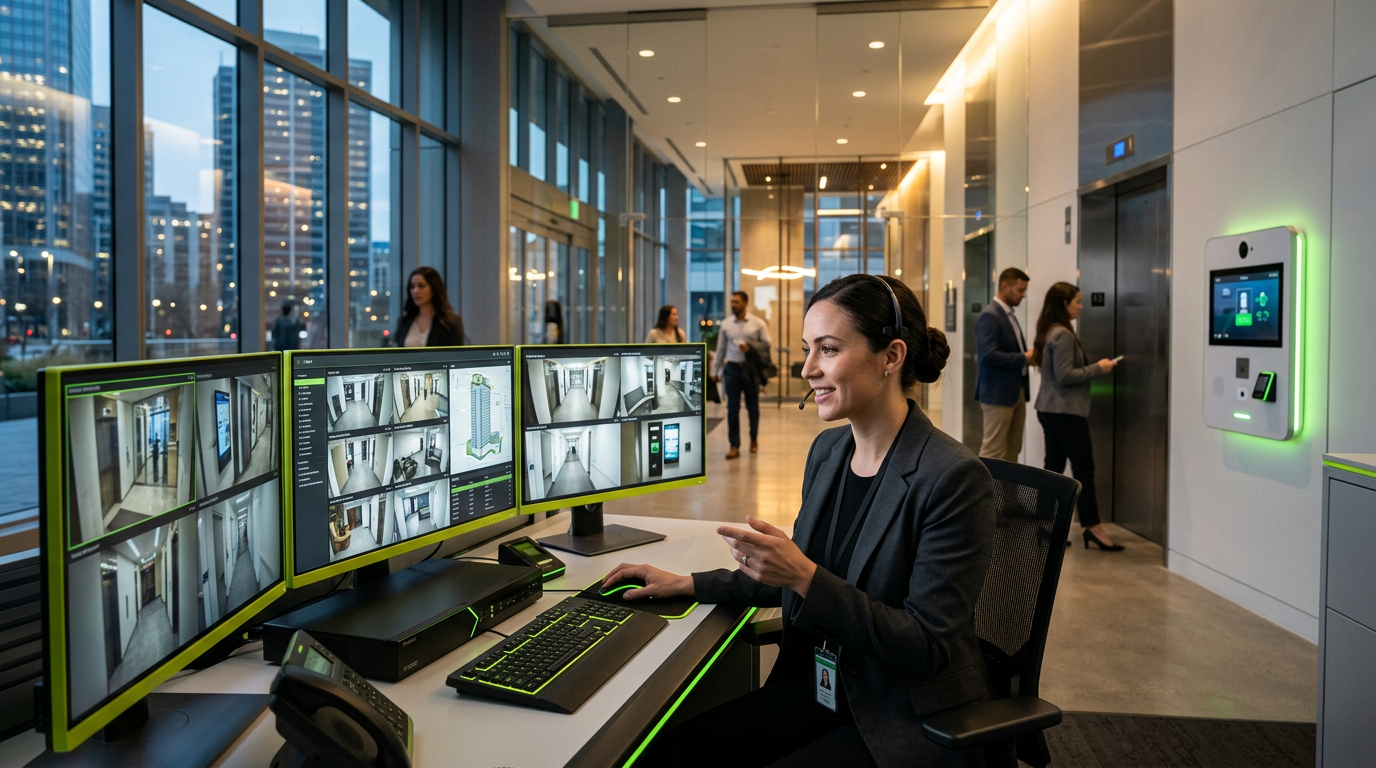
A virtual doorman (also called a remote or digital doorman) replaces or supplements a staffed front desk with video intercoms, access control and cameras monitored by off-site operators, who verify visitors, unlock doors and handle deliveries in real time. For high-rises, it delivers 24/7 lobby coverage without overnight headcount — provided the cabling, network and door hardware are installed to support it.
Quick Facts
- Virtual / remote doorman: live operators watch the entrance remotely and speak to visitors through a video intercom.
- Digital doorman: usually means an automated system (app credentials, delivery codes, smart lockers) with little or no live staffing.
- Core hardware: video intercom, access-controlled doors, IP cameras, package room controls and a reliable wired network.
- Biggest failure point: unstable network or power at the entrance — if the link drops, the lobby goes unmanaged.
For a commercial property manager in Orlando, the math of a 24-hour physical concierge desk is becoming increasingly difficult to justify. Between rising labor costs, the challenge of overnight staffing, and the need for seamless package management, high-rise buildings are hitting a turning point.
With the global video surveillance market projected to exceed $200 billion by 2033, the focus has shifted from mere recording to active, real-time intervention. This shift has birthed the "Virtual Doorman"—a sophisticated blend of high-definition cameras, two-way audio, and integrated access control. But as you plan your next low-voltage upgrade, you face a strategic choice: Live Remote Video Monitoring vs. Automated AI Intercom Systems.
The Live Remote Monitoring Approach
In this model, your security cameras and intercoms are linked to a centralized Operation Center (SOC) staffed by trained security professionals. When a visitor presses the button or a delivery driver approaches, a real person greets them via a screen.
Pros of Live Monitoring:
- Nuanced Decision Making: A human can tell the difference between a confused delivery person and a suspicious looter.
- Active Deterrence: Using mass notification speakers, a remote guard can call out a trespasser by name or description (e.g., "You in the red hoodie, leave the loading dock immediately"), which is far more effective than a passive alarm.
- Emergency Coordination: If a medical emergency occurs in the lobby, the remote guard can guide first responders via the internal camera network.
When it Wins: Live monitoring is the gold standard for high-traffic hospitality and luxury residential properties where white-glove service is expected, but a full-time onsite guard is over-budget.
The Automated AI & Cloud Intercom Approach
This approach relies on advanced software and mobile integration. When a visitor arrives, they use a touchscreen directory. The system uses facial recognition or pre-issued QR codes to grant access, or it routes a video call directly to the tenant’s smartphone.
Pros of Automated Systems:
- Scalability: There are no monthly hourly labor fees. Once the hardware is installed and the cloud subscription is active, the cost remains flat regardless of building volume.
- User Empowerment: Tenants can manage their own guest lists and delivery codes via an app, reducing the workload on property management.
- Seamless Integration: These systems often play better with other low-voltage components, like smart elevators and digital signage.
When it Wins: Automation is the ideal choice for corporate office parks and mid-market multifamily housing where speed and efficiency are prioritized over personalized human interaction.
The Low-Voltage Infrastructure Behind the Curtain
You cannot simply "bolt on" a virtual doorman solution. These systems require a robust backbone of structured cabling to function without latency. If your video feed lags or the audio cuts out, the security of the building is compromised.
- PoE (Power over Ethernet): Modern systems run on Category 6 or 6A cabling, providing both data and power to the hardware. This simplifies installation but requires a well-designed network closet (MDF/IDF).
- Bandwidth Management: 24/7 high-definition streaming requires significant upload speeds. A professional integrator will ensure your ISP and internal switches can handle the load without crashing your office's internal Wi-Fi.
- Redundancy: What happens when the power goes out? A proper low-voltage design includes UPS (Uninterruptible Power Supply) backups to ensure the "doorman" doesn't take an unscheduled break.
Integrating Digital Signage for a Better UX
A common mistake in high-rise security is making the building feel like a fortress rather than a modern facility. By integrating Digital Signage alongside your virtual doorman, you can use the same displays to show weather updates, building announcements, or emergency egress routes.
When the system isn't being used for a security check, it functions as a communication tool, increasing the ROI of the hardware you’ve already invested in.
Making the Decision
Choosing between live monitoring and automation isn't about which technology is "better"—it’s about matching the technology to the building’s personality and the tenants' expectations.
If your facility handles high-value assets or high-turnover guest traffic, the human element of Live Monitoring provides a level of risk mitigation that software can't yet match. However, for modern, tech-savvy tenants who want to buzz in their Uber Eats driver with a tap on their phone, Automated AI systems are the clear winner.
At InCTRL Technology Services, we help Central Florida businesses navigate these low-voltage complexities. Whether you are retrofitting a 20-year-old high-rise or breaking ground on a new corporate headquarters, the right infrastructure ensures your virtual doorman is always ready to answer the call.
Sources
- [Security Cameras Market Trends and Global Forecasts Report 2026 ...](https://finance.yahoo.com/sectors/technology/articles/security-cameras-market-trends-global-142200586.html)
- [10 Leading Video Surveillance Companies to Watch in 2026](https://www.ciocoverage.com/10-leading-video-surveillance-companies-to-watch-in-2026/)
Frequently Asked Questions
What is the difference between a virtual doorman and a digital doorman?
A virtual doorman uses live remote operators who see and speak to visitors. A digital doorman is typically automated — residents and couriers use app credentials or codes, with no person watching in real time. Many buildings combine both.
Does a remote doorman fully replace a front desk?
It can cover access, visitor screening and deliveries around the clock. Buildings that want in-person concierge services often keep a daytime desk and switch to remote coverage overnight.
What infrastructure does a virtual doorman system need?
Structured cabling to every entrance, PoE switching for intercoms and cameras, battery backup, electrified door hardware and a stable internet connection with failover.
Who installs virtual doorman hardware in Central Florida?
InCTRL Technology Services installs the cameras, access control, intercom hardware and cabling for commercial and multi-tenant buildings across Orlando and Central Florida. [Get a quote](/contact).
InCTRL Technology Team
Commercial integration specialists with 20+ years installing security, cabling, signage, AV and IT systems across Central Florida. About us
Explore our services
Areas we serve
Need This Done at Your Facility?
Orlando-based since 2004 — 3,300+ jobs completed. Talk to a real technician, not a call center.