Scaling Your Startup’s Conference Room AV Without Breaking the Bank
Learn how to build a professional, scalable conference room AV system on a startup budget with our cost-vs-value breakdown.
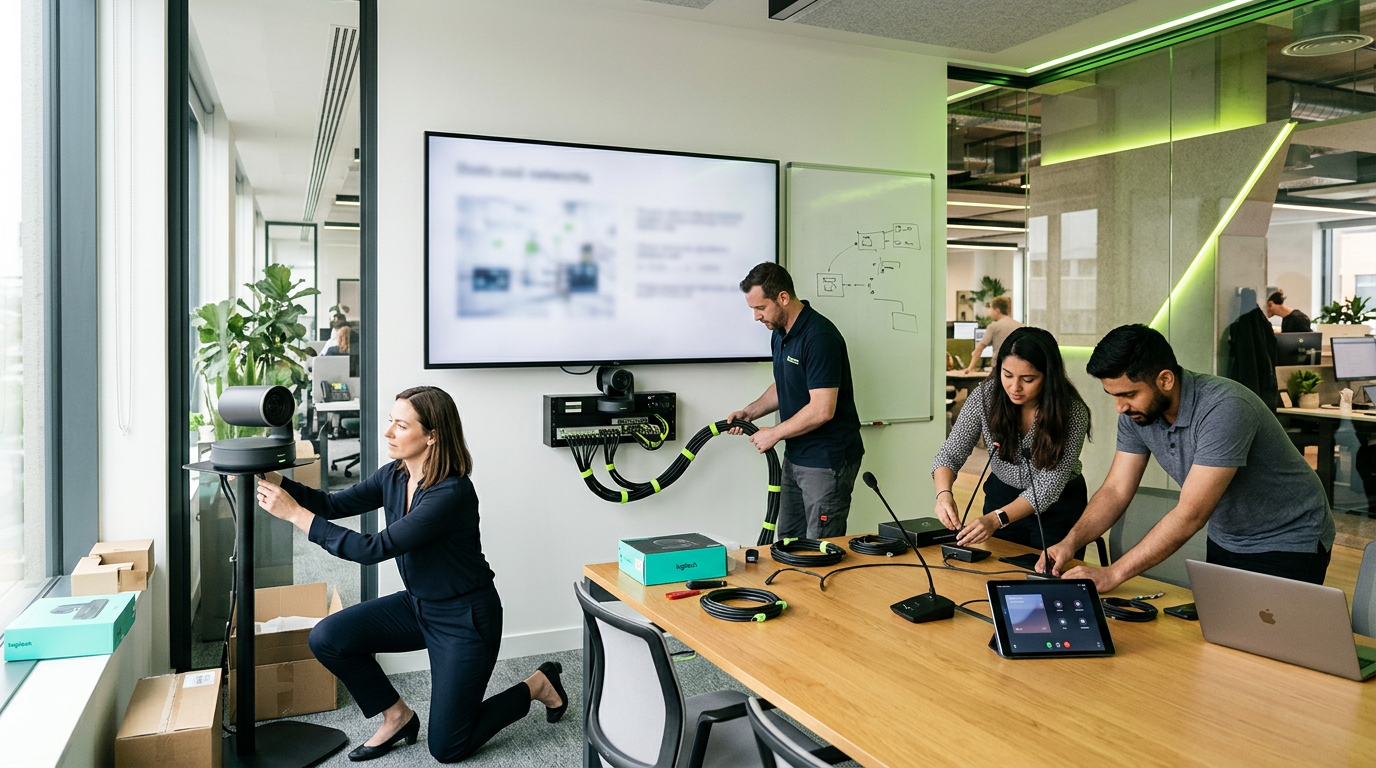
When a high-stakes pitch meeting is derailed by a flickering HDMI connection or a microphone that sounds like it’s underwater, the cost of "cheap" AV equipment becomes painfully clear. For growing startups, the challenge is balancing a professional image with a lean budget.
You don't need a six-figure boardroom to command respect, but you do need a system that works every single time. Here is how to navigate the complexities of Conference Room AV while ensuring your infrastructure can scale as fast as your headcount.
Start with the "Core Three"
To build a scalable room, you must prioritize three pillars: Visual Clarity, Audio Reliability, and Seamless Connectivity. If any one of these fails, the meeting fails.
- The Display: Skip the consumer-grade TVs found at big-box retailers. Commercial displays are designed for 16/7 or 24/7 operation, have higher brightness levels to fight office glare, and often include RS-232 controls for integration with automation systems.
- The Audio: In a world of hybrid work, the people on the other end of the Zoom call are your most important audience. Invest in a dedicated microphone array or a high-quality soundbar with beamforming technology that tracks the speaker.
- The Interface: Nothing kills a meeting's momentum like hunting for adapters. Standardizing on a single platform—whether it's Microsoft Teams Rooms, Zoom Rooms, or Google Meet—allows for "One Touch Join" functionality that simplifies the user experience.
The Digital Signage Double-Duty
One of the smartest ways to maximize your AV investment is to utilize your conference room displays for Digital Signage when they aren't in use for meetings.
Recent industry data suggests that businesses see a significant return on investment—often cited between $4 and $6 for every $1 spent—when using signage for operational efficiency and internal branding. By using a cloud-based CMS (Content Management System), your conference room screen can display company KPIs, welcome guests, or announce upcoming milestones, turning a blank black screen into a valuable communication tool.
Cost vs. Value Breakdown
Understanding where to allocate your budget is the difference between a system that lasts two years and one that lasts seven. Here is a ballpark look at the investment levels for a standard small-to-medium huddle room.
| Component | Budget/DIY Approach | Professional/Scalable Tier | Why the Value Matters |
|---|---|---|---|
| Display | $400 - $600 (Consumer TV) | $1,200 - $2,500 (Commercial) | Commercial screens have longer lifespans and better warranties. |
| Audio/Camera | $300 (Webcam) | $1,500 - $3,000 (All-in-one Bar) | Professional bars offer auto-framing and noise cancellation. |
| Cabling/Labor | $0 (Visible wires) | $800 - $1,500 (Structured) | Hidden, reinforced cabling prevents accidental unplugging and wear. |
| Signage/Software | $0 | $15 - $50/mo | Turns the hardware into a 24/7 communication asset. |
| Total Est. | $700 - $900 | $3,500 - $7,000 | Reliability and 5-year TCO (Total Cost of Ownership). |
While the upfront cost of professional integration is higher, the 5-year cost of ownership is often lower. Consumer-grade hardware frequently requires replacement after 18–24 months of heavy use, and the "soft costs" of IT troubleshooting time can quickly exceed the initial savings.
Future-Proofing with Structured Cabling
Infrastructure is the one area where you should never cut corners. If you are currently in a build-out phase, ensure your contractor is running Category 6 (Cat6) or Cat6A cabling to every display location.
Even if you aren't ready for a fully networked AV-over-IP system today, having the copper in the walls allows you to upgrade hardware down the road without tearing out drywall. A well-planned cable path is the literal backbone of scalability.
The Hybrid Reality: Don't Forget the Acoustics
Startups often favor industrial aesthetics—exposed brick, concrete floors, and glass walls. While beautiful, these surfaces are an acoustic nightmare.
If your budget is tight, look into acoustic treatment. Simple fabric panels or “clouds” can drastically reduce echo, making your $2,000 microphone system sound like a $10,000 system. Without acoustic management, even the most expensive AV gear will struggle to provide clear audio to remote participants.
Key Takeaways for Your Integration
1. Prioritize Audio: People will tolerate a grainy video feed, but they will leave a meeting if they can’t hear you.
2. Standardize Your Rooms: Ensure every room in your office works exactly the same way to reduce employee frustration.
3. Think Beyond the Meeting: Use digital signage software to keep your team informed and maximize the ROI of your hardware.
4. Partner with Professionals: A local technology integrator like InCTRL can help you navigate the "middle ground" between cheap consumer gear and overpriced enterprise systems, ensuring your tech grows with your company.
Sources
- [Digital signage statistics 2026 — 200+ sourced stats.](https://www.crowntv-us.com/resources/digital-signage-statistics/)
- [Digital Signage ROI UK 2026: Measuring What Screens Earn](https://khazinadigital.com/blogs/digital-signage-for-business/retail-media-measurement-roi-digital-signage-uk?srsltid=AfmBOootr1hsUSiQfXa8W50NdvCuVnGfPS6pnCXQcojhSlxGH1kiCdAR)
- [Digital Signage Pricing: (Hardware, Software, Installation & ...](https://www.megasigninc.com/blog/digital-signage-pricing-rates-cost-hardware-pricelist/)
InCTRL Technology Team
Commercial integration specialists with 20+ years installing security, cabling, signage, AV and IT systems across Central Florida. About us
Explore our services
Areas we serve
Need This Done at Your Facility?
Orlando-based since 2004 — 3,300+ jobs completed. Talk to a real technician, not a call center.